【Windows 10】找回 Windows 體驗指數功能(64位元)
2017/02/17
萌芽站長
20,339 2
作業系統 , Windows
⚠️ 溫馨提醒:我們發現您可能啟用了廣告阻擋器,請將本站加入白名單以正常閱讀文章內容,謝謝支持 ❤️
Windows 7 有個「Windows 體驗指數功能」,可以簡單評估電腦效能,了解電腦的體驗指數,不過這個功能在 Windows 8.1 後就移除了!如果還需要使用的人,就可以透過這篇教學找回它!讓我們來看教學吧!
首先,請先下載「PerfCenterCPL.zip」。

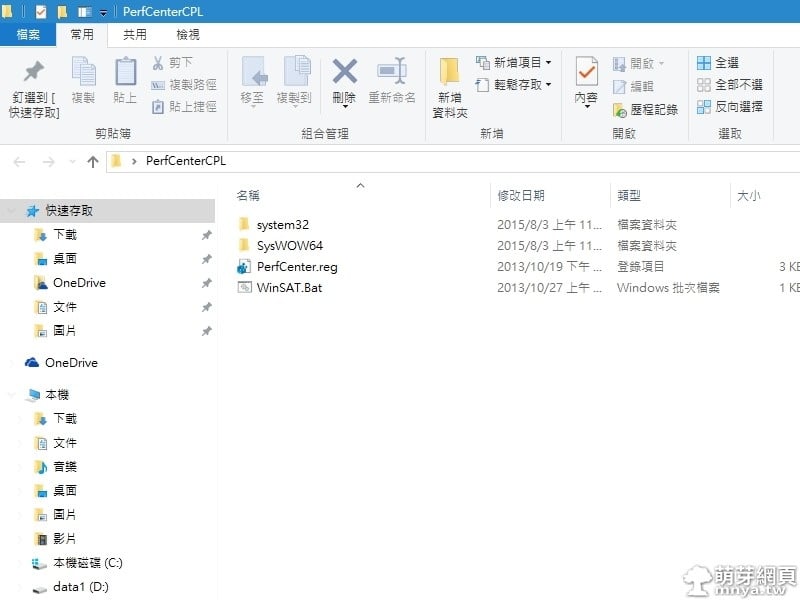
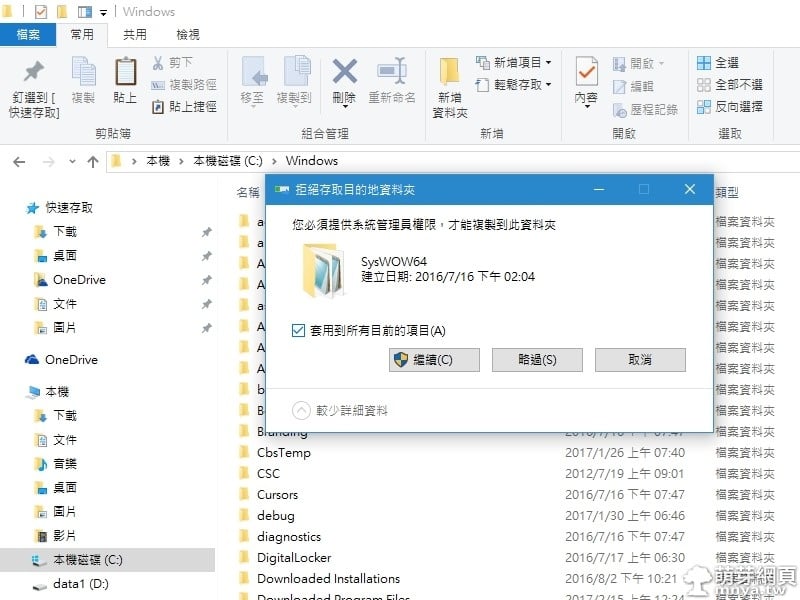
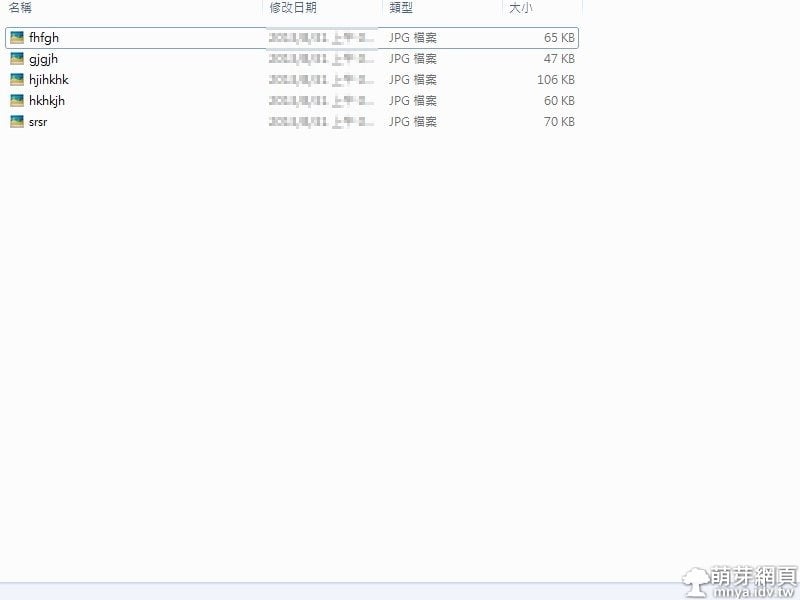
▲解壓縮後有這些檔案,全選並複製到「C:\Windows」。
▲用管理員權限繼續。
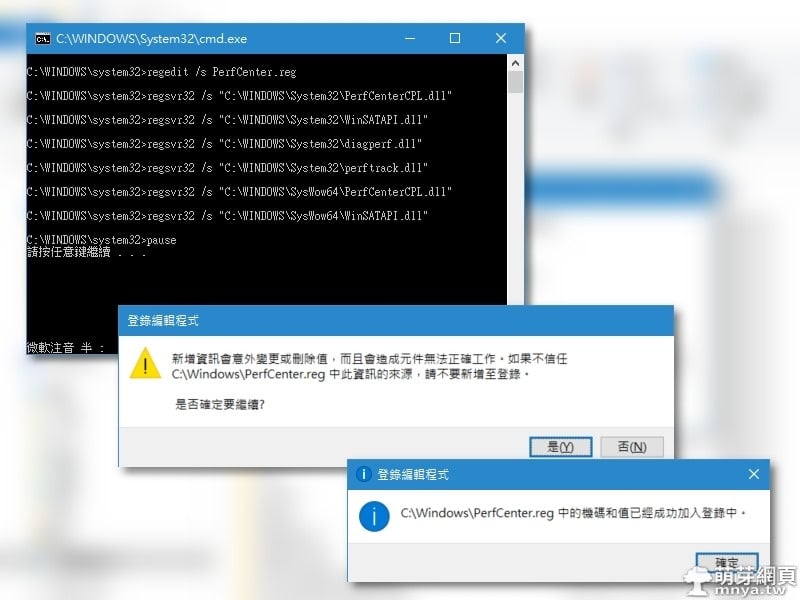
▲用管理員權限開啟「WINSat.bat」,完成後打開「PerfCenter.reg」登錄機碼。
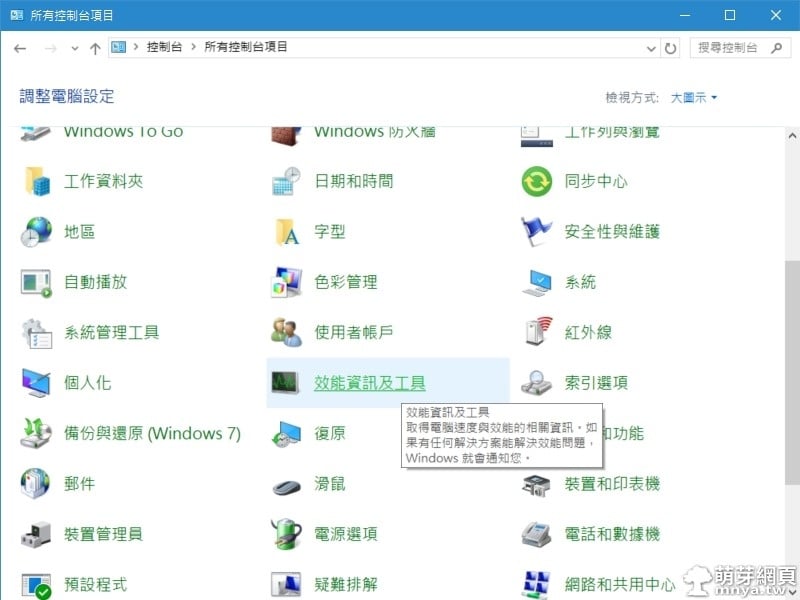
▲接著打開控制台,就會發現多了個「效能資訊及工具」。
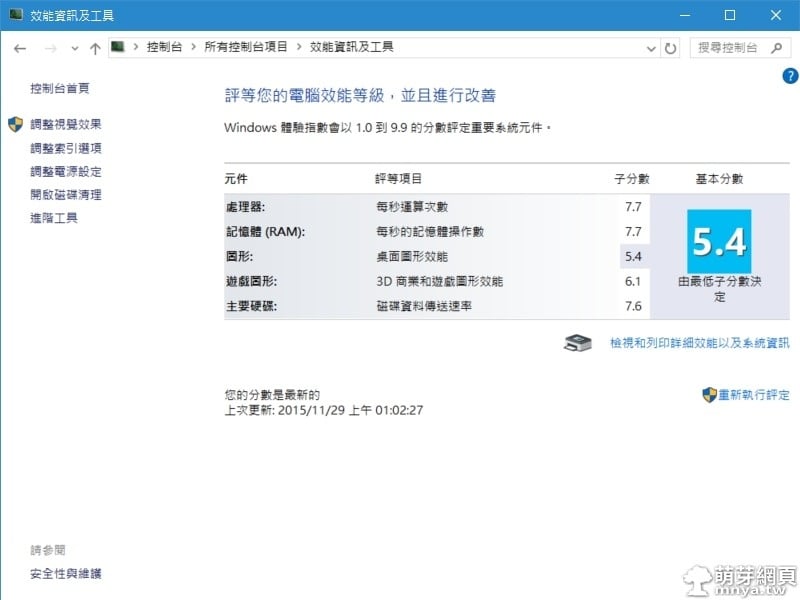
▲點開「效能資訊及工具」就可以看到熟悉的「Windows 體驗指數功能」,上次評定已經是 2015/11/29 了!
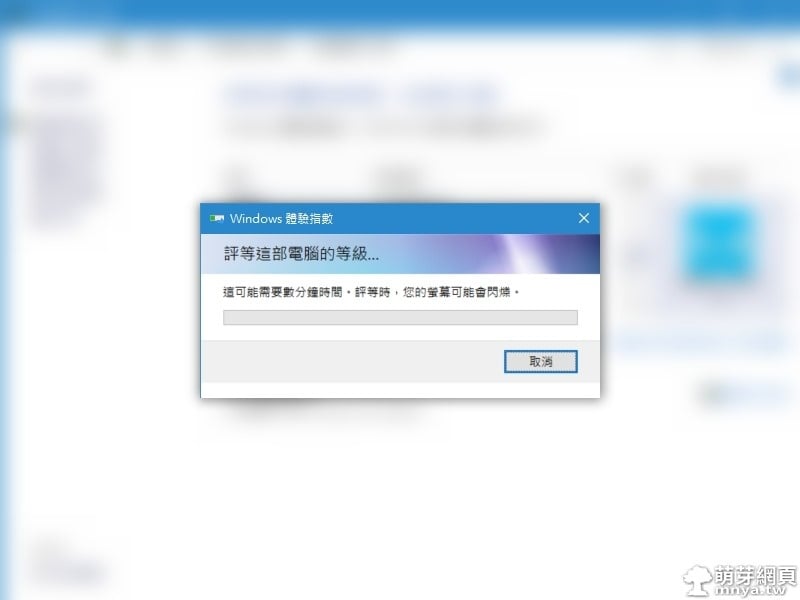
▲等待重新評估中。
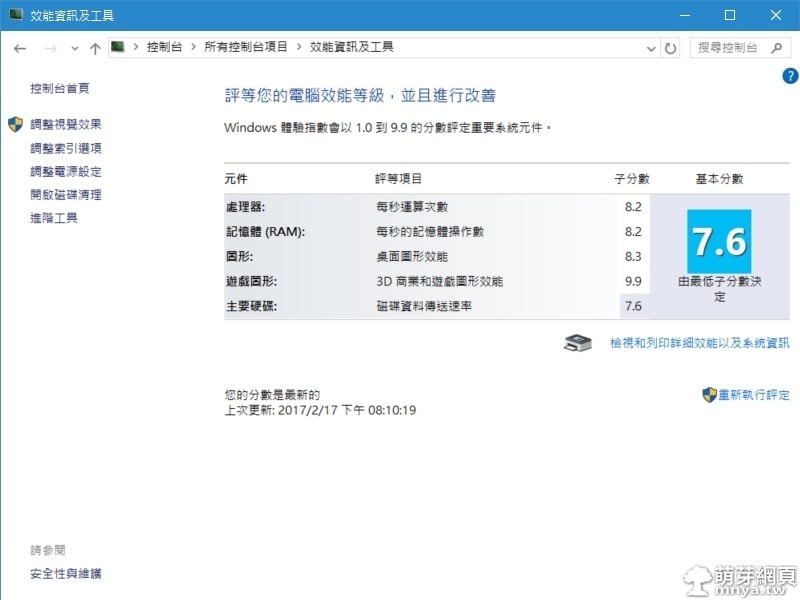
▲今天評估的結果,大家也可以來試試唷!
贊助廣告 ‧ Sponsor advertisements
【Windows】使檔案照數字排序
📆 2013-11-28
📁
作業系統, Windows
Windows 11:如何開啟或關閉螢幕截圖自動儲存功能
📆 2023-11-20
📁
作業系統, Windows
【Windows 10】APP開發心得
📆 2015-08-13
📁
作業系統, Windows
Windows 11:解決無法開啟 Windows 安全性(您需要新的應用程式才能開啟此 windowsdefender 連結)
📆 2022-06-04
📁
作業系統, Windows
Linux:chown 指定檔案或目錄的擁有者與群組
📆 2022-01-07
📁
作業系統, 伺服器, Linux
【Windows 2000】初次嘗試使用記錄
📆 2014-07-12
📁
作業系統, Windows
Windows 10 免費升級持續發送中
📆 2016-08-01
📁
作業系統, 資訊新聞, Windows
【Windows】音量混音程式
📆 2013-11-24
📁
作業系統, Windows

 《上一篇》YouTube Go:官方全新APP,可離線觀賞影片、分享影片
  《下一篇》Facebook Stories 限時動態登場!


留言區 / Comments
萌芽論壇